If you run a D2C brand and you’ve been putting off quick commerce because it looks bureaucratic, you’re not wrong — it is.
All three major platforms run curated, purchase-order-driven models, not open marketplaces where you upload a product and start selling the same afternoon.
But that curation is also why quick commerce converts so well once you’re in: every brand on the shelf has already cleared a documentation and quality bar, so customers buy with less hesitation than they would from an open marketplace listing.
This guide walks through what’s actually required on Blinkit, Zepto, and Instamart, how long each one realistically takes, and where most first-time D2C brands lose weeks without realizing it.
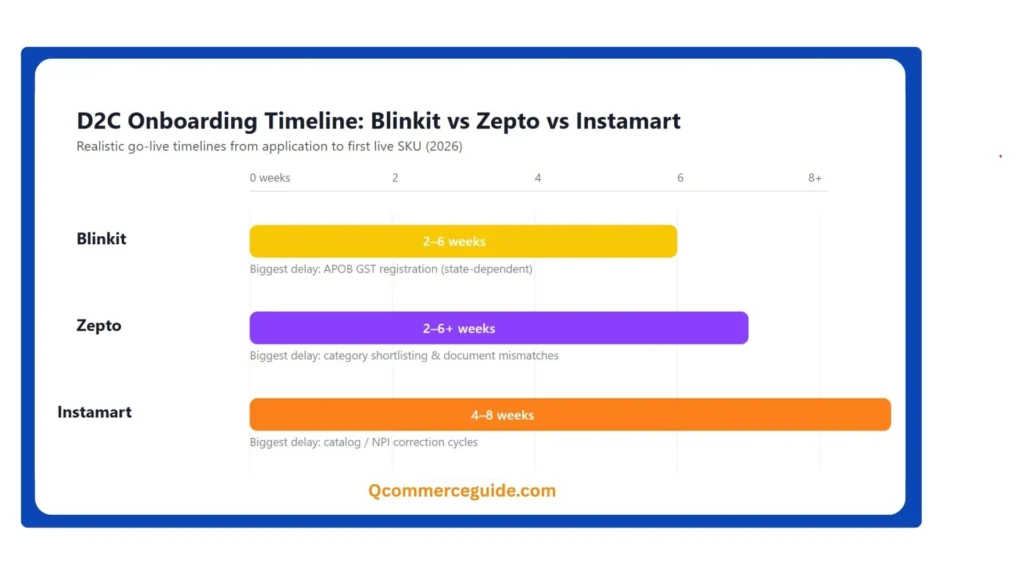
Show Image Realistic go-live timelines vary significantly by platform — plan your launch around the longer end of each range.
The Model is different from Amazon or Flipkart
The single biggest mistake first-time sellers make is assuming quick commerce works like a standard e-commerce marketplace.
It doesn’t. On Blinkit, Zepto, and Instamart, the platform itself buys your inventory through Purchase Orders, stocks it in dark stores, and resells it to the customer directly. You’re not managing a live storefront — you’re a supplier fulfilling POs against demand a Category Manager forecasts.
This changes your entire cost and cash-flow planning: you need working capital to fulfil inventory ahead of sale, not just a product catalog.
Once you accept that framing, the rest of the process makes a lot more sense.
What you need before you apply (all three platforms)
Prepare these once, and you can reuse most of them across all three applications:
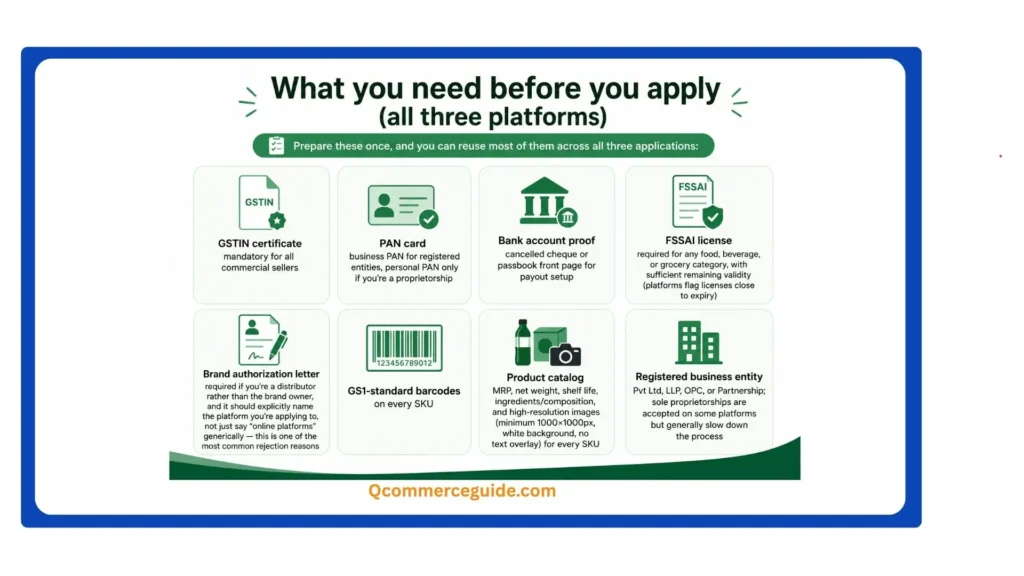
- GSTIN certificate — mandatory for all commercial sellers
- PAN card — business PAN for registered entities, personal PAN only if you’re a proprietorship
- Bank account proof — cancelled cheque or passbook front page for payout setup
- FSSAI license — required for any food, beverage, or grocery category, with sufficient remaining validity (platforms flag licenses close to expiry)
- Brand authorization letter — required if you’re a distributor rather than the brand owner, and it should explicitly name the platform you’re applying to, not just say “online platforms” generically — this is one of the most common rejection reasons
- GS1-standard barcodes on every SKU
- Product catalog — MRP, net weight, shelf life, ingredients/composition, and high-resolution images (minimum 1000×1000px, white background, no text overlay) for every SKU
- Registered business entity — Pvt Ltd, LLP, OPC, or Partnership; sole proprietorships are accepted on some platforms but generally slow down the process
Missing or mismatched documents — especially GST and bank details registered under different names — are consistently the top reason applications stall before they even reach a Category Manager.
Blinkit: the process
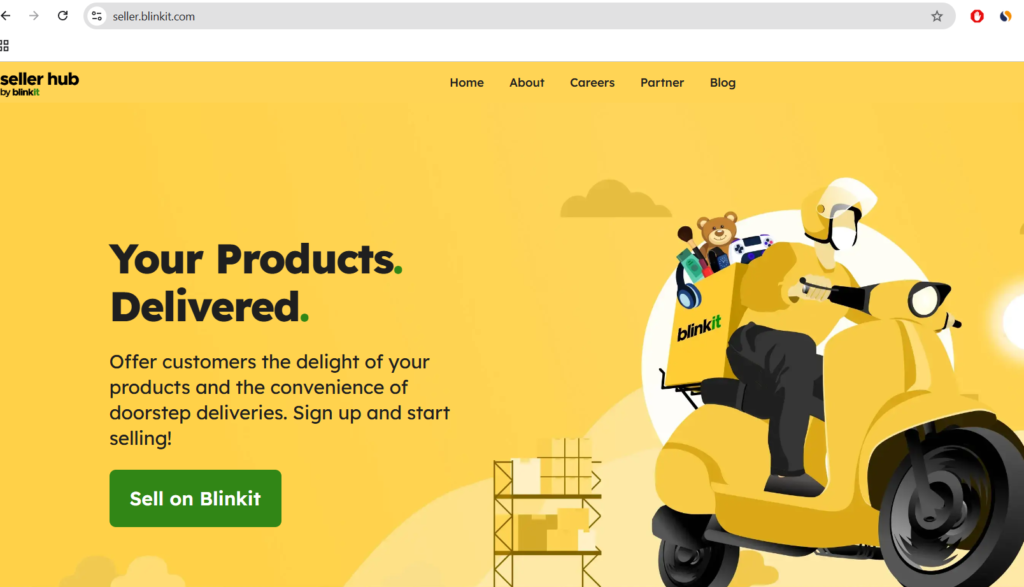
- Apply through Blinkit’s official seller/partner portal or submit a direct pitch to the procurement team.
- Your product list goes to a Category Manager, who evaluates packaging quality, market demand, and whether your pricing leaves room for Blinkit’s margin requirements.
- If approved, you sign a Vendor Master Agreement covering commission structure, payment cycle, and refund terms, and receive a Vendor Code.
- You complete APOB (Additional Place of Business) GST registration for the state(s) you’ll supply from — this step alone commonly takes several days to a few weeks depending on the state.
- Choose your commercial model. Blinkit typically works on either an outright purchase model or an SOR (Sale or Return) arrangement for newer/emerging brands, which usually involves a per-SKU, per-cluster listing deposit. Understand which model applies to you before you commit — it materially changes your risk and cash flow.
Realistic timeline: roughly 2–6 weeks depending on category, documentation quality, and how quickly APOB clears in your state.
Zepto: the process
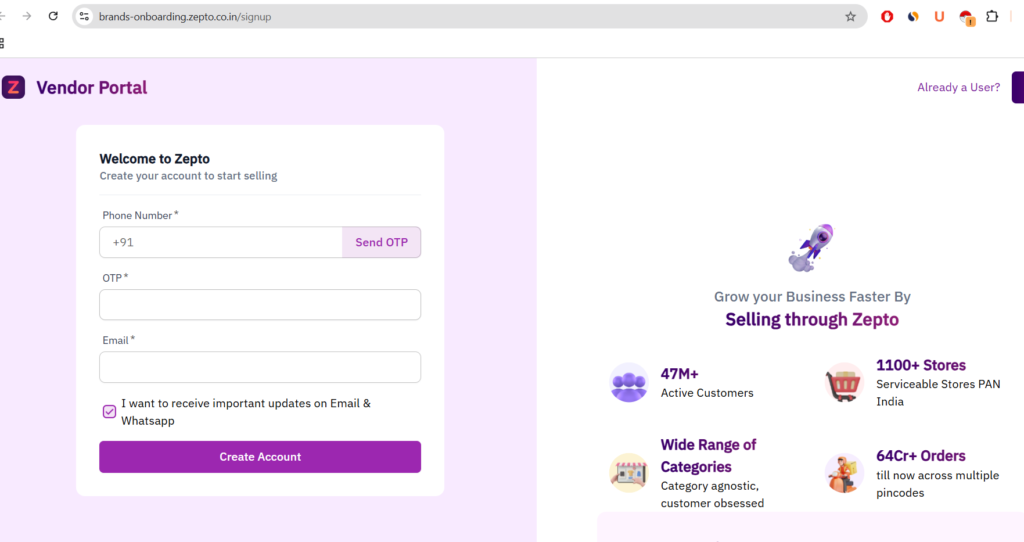
- Apply on Zepto’s official partner portal (their brand registration page) with your entity type, product categories, and turnover range.
- Zepto’s initial filter assesses category fit and supply capability before routing you into formal review.
- If shortlisted, you submit full documentation and go through category approval.
- Sign the vendor agreement covering commission (commonly in the 8–25% range depending on category and negotiated terms), payment cycle (commonly T+7 to T+15), and city-wise dark store allocation.
- Ship inventory to your assigned dark stores per Zepto’s inwarding guidelines; stock passes quality inspection before it goes live on the app.
Realistic timeline: self-reported figures vary widely across sources — anywhere from 10–15 days for straightforward categories up to 30–45 days when document verification or category approval takes longer. Build your launch plan around the longer end of that range.
Swiggy Instamart: the process
- Apply through the Swiggy Instamart Partner portal, or via direct outreach to their brand onboarding team for categories where Swiggy proactively recruits suppliers.
- Instamart pre-screens applications on category demand and city-level fit — not every submission proceeds to full review, since the platform manages category balance deliberately rather than accepting all comers.
- Submit full documentation; Swiggy’s compliance team verifies each document, which commonly takes 7–15 working days on its own.
- Prepare your catalog to Instamart’s NPI (new product introduction) standards — this is where many brands lose the most time, since packaging, imagery, and MRP consistency errors send submissions back for correction rather than outright rejection, adding weeks each round.
- Once approved, fulfil your first PO and inventory is inwarded to assigned dark stores.
Realistic timeline: platform documentation quotes 7–15 days, but brands managing the process independently more commonly report 4–8 weeks from first application to first live SKU, largely due to catalog correction cycles.
Side-by-side comparison
| Blinkit | Zepto | Swiggy Instamart | |
|---|---|---|---|
| Application entry point | Seller/partner portal or direct procurement pitch | Partner portal (brand registration) | Partner portal or category team outreach |
| Typical commission | Category-dependent, plus SOR/PLA deposit model for new brands | ~8–25%, category-dependent | Category-based commission and cost model |
| Realistic go-live timeline | 2–6 weeks | 2–6 weeks (up to 6+ for complex categories) | 4–8 weeks |
| Biggest common delay | APOB GST registration | Category shortlisting / document mismatches | Catalog/NPI correction cycles |
| Delivery/logistics | Handled by platform | Handled by platform | Handled by platform |
What actually slows brands down (beyond the official checklist)
A few patterns show up across all three platforms, based on how sellers consistently describe their own onboarding experience:
- Name mismatches between GST and bank documents are the single most common reason for early rejection — check this before you submit anything.
- Generic brand authorization letters that don’t name the specific platform get bounced back, even if the brand relationship itself is legitimate.
- Underestimating working capital needs. Because platforms buy via PO rather than paying you per unit sold like a marketplace, you need enough cash flow to fulfil orders ahead of receiving payment, on a T+7 to T+15 (or longer) cycle.
- Applying to all three platforms simultaneously with a thin SKU range. Sellers experienced with multi-platform onboarding generally suggest leading with one platform first rather than spreading a narrow catalog across all three at once — a focused pitch to one Category Manager tends to outperform three unfocused ones.
Should you do this yourself or use an onboarding agency?
Plenty of agencies offer to manage this process for a fee, and the honest answer is it depends on your bandwidth, not your brand size. The process itself isn’t technically complex — it’s document-heavy and slow-moving, with most delays coming from correction cycles rather than genuine gatekeeping. If you have someone internally who can dedicate real time to chasing documentation and following up with category teams, doing it yourself is entirely realistic. If your team is already stretched, the main value an agency adds is faster iteration on catalog corrections and, in some cases, existing relationships with category managers — not some hidden approval shortcut unavailable to direct applicants.
FAQ
Can a brand-new D2C brand with no existing retail presence get listed? Yes. All three platforms explicitly accept brand owners with a registered trademark (or trademark application in progress), regardless of company size — you don’t need prior retail distribution to qualify.
Do I need a separate GST registration for each state I supply from? Generally yes — APOB (Additional Place of Business) registration is required per state where you hold inventory for platform fulfilment, and this is one of the more time-consuming steps in the process.
How much working capital should I plan for? Enough to cover inventory production and fulfilment for at least one full payment cycle (commonly T+7 to T+15, sometimes longer), since you’re paid after the platform sells through stock, not on delivery to the dark store.
Is it better to launch on one platform first or all three at once? Most sellers who’ve been through multiple onboardings recommend leading with one platform where your category fit is strongest, then expanding — a concentrated pitch and inventory commitment tends to get better category manager attention than a thin spread across all three simultaneously.
My Experience; During Big Bazaar, i tried to crate account on Amazon for selling, But i failed twice, than i hired a professional service. So i suggest you to hire a professional service provider for hassle free account creation.
Related reading: Quick Commerce vs Traditional E-commerce · Unit Economics of Quick Commerce · Blinkit vs Zepto vs Instamart Comparison · Inventory Management in Quick Commerce